Многофункциональная утилита для снятия скриншотов и видеозаписи с экрана монитора, с возможностью их редактирования и обработки.
- Скриншоты всего экрана, выбранной области, активного окна или произвольной формы, а также страниц интернета + длинный список.
- Добавление других файлов изображений, с помощью загрузки их по ссылке, из буфера обмена, путём перетаскивания и т.д.
- Возможность видеозаписи происходящих на мониторе действий (видеозахват)
- Использование горячих клавиши с гибкими настройками.
- Встроенные библиотеки FFmpeg для работы с аудио и видео файлами.
- Поддержка OpenAI ChatGPT, Google Gemini, OpenRouter
- Редактирование изображений, добавление водяных знаков, копирование в буфер обмена, распечатка, сохранение в файл, загрузка на сервер и многое другое...
- Загрузка любых файлов в сеть (дополнительно поддерживаются Discord, Reddit и другие)
Разработчик: ShareX Team
Интерфейс: мультиязычный + русский
Состояние: бесплатно
Платформа: Windows 10 x64 и новее
Sharex v.21.0.0 x64 Portable (199.18 Mb)
Список изменений:
Added "Background remover" tool. ShareX
Added "Image Comparer" tool. ShareX
All 23 languages are 100% translated, except for the Avalonia UI windows, which are not localizable yet.
Image editor improvements:
Added a "Customize toolbar" button to the Options dialog. It lets you fully customize the toolbar, including showing or hiding specific tools, reordering them, and changing their hotkeys. ShareX
Added "Pick color from screen" button to color picker.
Added image editor notifications.
Added "Show notifications" option.
Added "K Cursor" annotation tool.
Added "Blur amount" option for Spotlight tool.
Double clicking on emoji now opens the Emoji Picker dialog.
Double clicking on image now opens the File Picker dialog.
Added "Ctrl + H Hide/Show toolbars" button to context menu. ShareX
Added "Step type" option for Step tool, with this options:
1, 2, 3
A, B, C
a, b, c
I, II, III
i, ii, iii
Added "Horizontal alignment" option to Text & Speech Balloon annotation tools, with this options:
Left
Center
Right
Added "Toggle bold" option to Speech Balloon & Step annotation tools.
Added "Toggle italic" option to Speech Balloon annotation tool.
Added "Toggle tail" option for Speech Balloon & Step annotation tools.
On exit confirmation dialog "Yes" button is automatically focused now.
Added "Border style" option to Rectangle, Ellipse, Line, Freehand annotation tools, these are the options:
Solid
Dash
Dot
Dash Dot
Dash Dot Dot
Added rotation support to these annotation tools:
Rectangle
Ellipse ShareX
Speech Balloon
Highlight
Blur
Pixelate
Magnify
Holding Ctrl now disables shape selection, allowing you to draw a shape on top of another shape.
Holding Ctrl while creating a shape now allows you to move it.
Added a "Favorite Image Effects" action when right clicking the Image Effects button.
Added "Toggle ellipse shape" option to Magnify & Spotlight tools.
In the Background tool, gradient colors can now be edited using the color picker.
Added “Shadow options” menu, when right clicking the "Toggle shadow" button, these are the options:
Color
Blur
Opacity
Offset X
Offset Y
Added easter egg. ShareX
Ignore NVIDIA GeForce Overlay in region capture selection.
ShareX 20.2.0 - 2026-05-22



 (Администратор) Реп.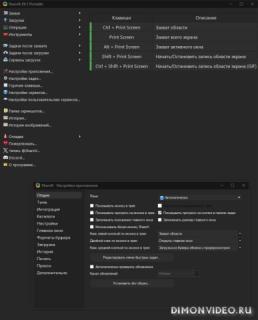



Обновление от 09/07/2026 10:26:53
============
Причина редактирования: новая версия
0 ответить